



The Doral general contractor had a spreadsheet. Actually three spreadsheets. One for leads, one for active jobs, one for follow-ups. Every Monday morning he spent an hour reconciling them, and every Friday afternoon he realized something had slipped. His close rate hovered at 22 percent. His callback response time was three days on average. He was leaving real money on the table without knowing where.
We set him up with a visual CRM pipeline in eleven days. Close rate climbed to 41 percent in the first quarter. Average callback response time dropped to six hours. He stopped losing bids because he stopped forgetting they existed. Nothing about the pricing or the crews changed. The system caught what he was losing.
This post is the exact pipeline structure we ship for Miami contractors, the automations that keep it moving, and the one weekly report that shows where jobs slip. If you want us to set this up for you, our CRM management service covers the whole thing.
A note on scope. This works for residential contractors (remodels, additions, new construction) and commercial contractors (build-out, tenant improvement, repair). It works for GCs and for specialty trades (electric, plumbing, HVAC, roofing, pool). It does not work if you do not have a real sales process yet. Build the process first, then automate it.
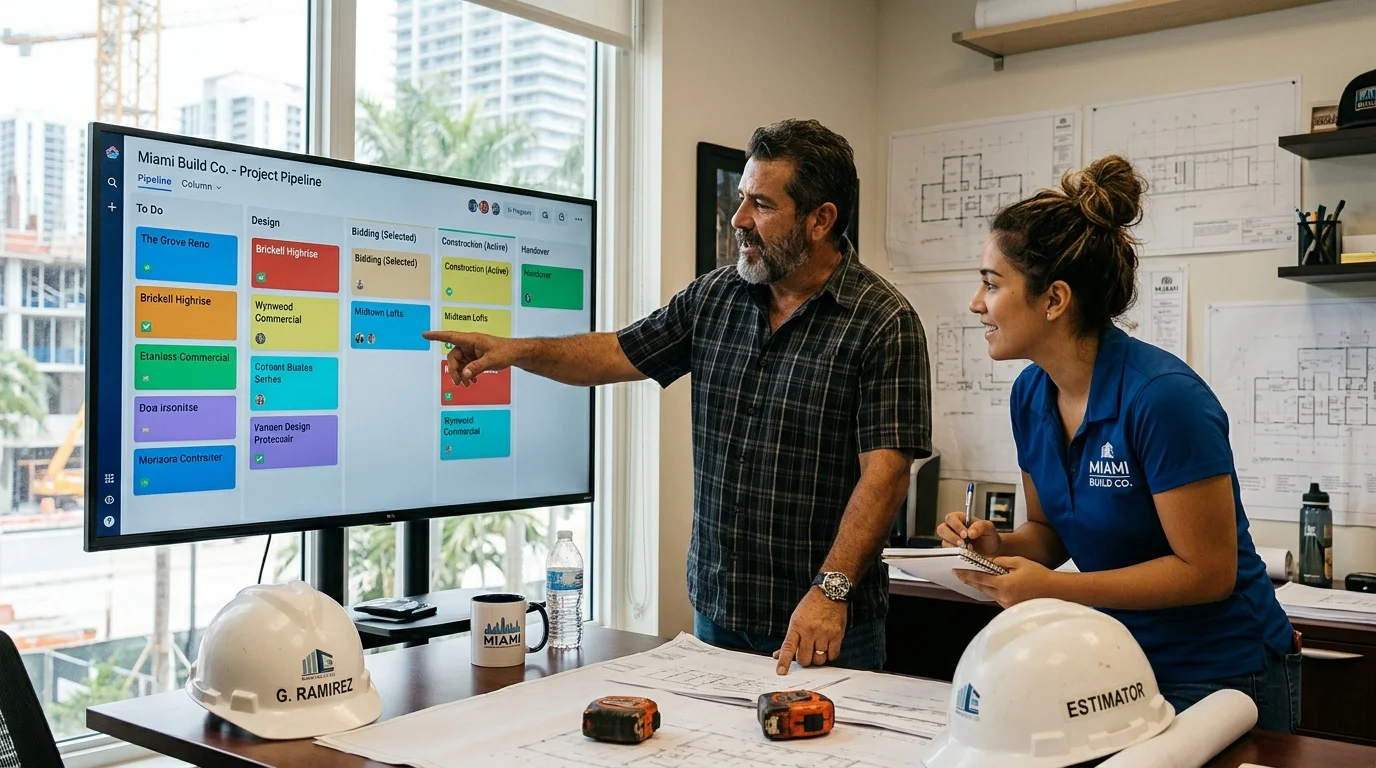
The Seven-Stage Contractor Pipeline
We build every contractor pipeline around seven stages. Some contractors need eight. Some need six. Very few need more. The seven-stage version is the default.
Stage 1: New Lead. Contact from any channel (website form, phone call, referral, Angi, HomeAdvisor, Instagram DM). All leads land here regardless of source. Required fields at this stage: name, phone, address, job type, source, notes. Automation: text the lead within five minutes with a confirmation and a next-step link.
Stage 2: Qualified. Lead has been contacted, is a real prospect, and matches your minimum job size. Fields added: budget range, project scope, timeline, decision maker, competing bids. Automation: schedule the site visit or virtual walk-through.
Stage 3: Site Visit Scheduled. A specific date and time is on the calendar. Automation: reminder 24 hours before the visit and 2 hours before the visit. Also creates a shared folder for photos and notes.
Stage 4: Site Visit Complete / Estimating. Visit done, estimate in progress. Fields added: scope details, materials list, photos, permit needs, sub trade coordination. Target time in this stage: 5 to 10 business days. Automation: alert if a job has been in estimating for more than 10 days.
Stage 5: Proposal Sent. Estimate delivered. Fields added: proposal PDF link, total price, terms. Automation: follow-up sequence at day 3, day 7, and day 14 unless the client responds sooner.
Stage 6: Won / Deposit Received. Client accepted, deposit paid, job scheduled. Fields added: start date, target completion, project manager assigned. Automation: move to project management system and notify field team.
Stage 7: Lost. Client passed or ghosted. Required field: reason. This is the most valuable stage in the pipeline because it tells you why you are losing. Automation: 90-day nurture sequence for eventual re-engagement.
Every job moves through the same stages. Every stage has clear entry and exit criteria. This is the structure that stops jobs from getting stuck in the ambiguous middle where owners lose them.
The Automations That Actually Save Hours
Six automations move the needle for Miami contractors specifically. Start with these before adding anything else.
The first is the sub-five-minute lead response. Every new lead gets a text within five minutes, twenty-four hours a day. Contractors that respond within five minutes close at 3 to 5 times the rate of contractors that respond within an hour. Miami is a competitive market. Response speed is often the entire difference.
The second is the site visit reminder sequence. Twenty-four hours out and two hours out, both to the client and to the field team. This one automation cuts no-shows by 40 to 60 percent in our experience.
The third is the estimating deadline nudge. If a job sits in estimating for more than 10 business days, the CRM pings the owner and the estimator with a specific ask: is this active, do we need more info, or should it move to lost. Jobs die in estimating silence.
The fourth is the proposal follow-up sequence. Day 3, day 7, day 14. Personalized messages, not generic templates. This sequence alone converts 15 to 25 percent of proposals that would otherwise go silent.
The fifth is the lost-lead nurture. Ninety days after a client passes, a soft check-in. Six months later, another. These bring back roughly one in ten lost deals over time. Free money on a system that runs itself.
The sixth is the referral request automation. Ninety days after project completion, a request for a referral or a Google review. Contractors sit on massive review potential that never gets asked for. This automation earns its keep in the first month.
If you want the automation layer to include an AI chat or voice agent for after-hours inquiries, our AI chatbot service plugs directly into the pipeline.
The One Report That Shows Where Jobs Slip
A well-built CRM produces dozens of reports. One matters more than all the others combined.
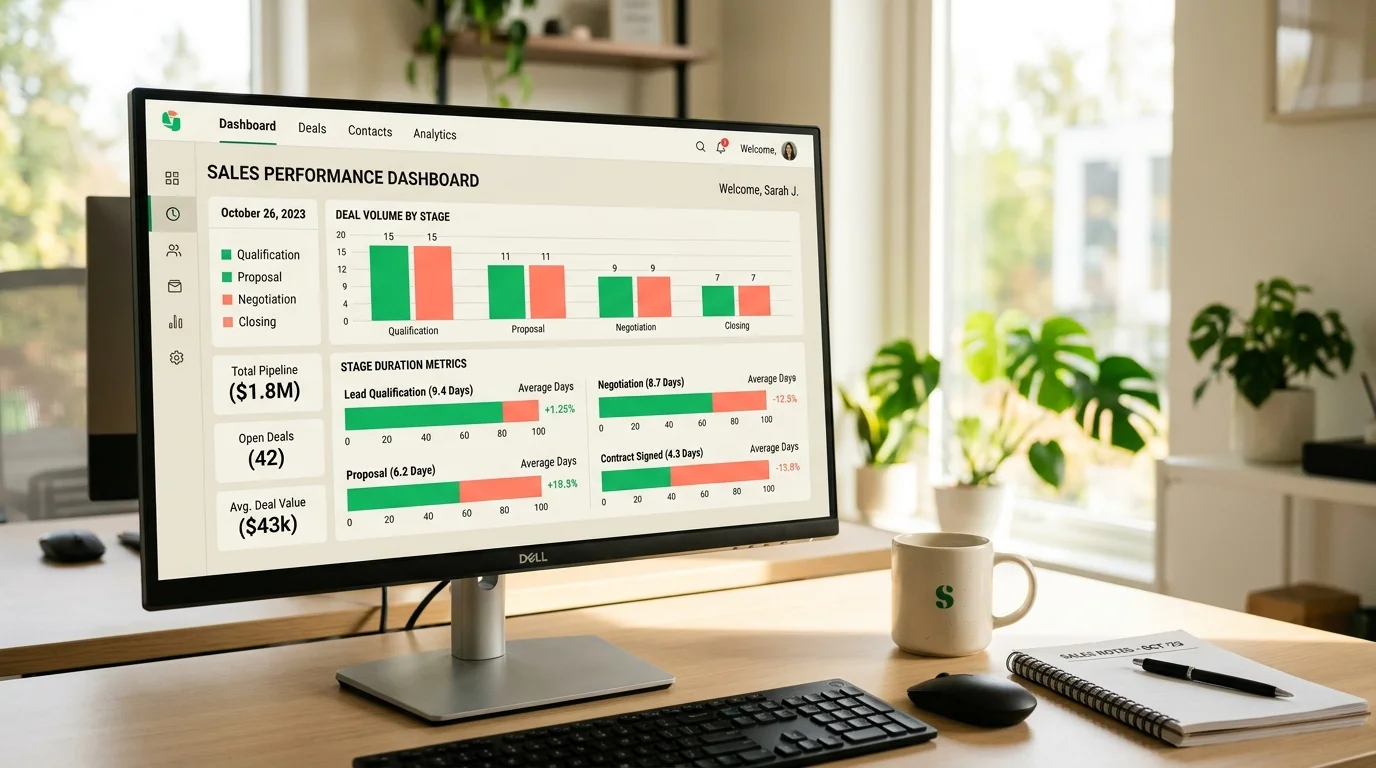
The Stage Duration report. It shows the average time a job spends in each stage, over the last 30 days, compared to the previous 30 days. Reading it takes 30 seconds.
If the average time in "Qualified" is climbing, your team is not scheduling site visits fast enough. Usually means you need to add capacity or automate the scheduling.
If the average time in "Estimating" is climbing, either your estimator is overloaded or your process is missing steps. Usually a workflow fix, not a personnel one.
If the average time in "Proposal Sent" is climbing but win rate is holding, your proposals are landing but your follow-up cadence is not tight enough. Usually an automation fix.
If the average time in "Proposal Sent" is climbing and win rate is dropping, your pricing or your proposal quality is losing. Usually a positioning fix.
Miami contractors we work with review this report every Monday morning. Five minutes. Catches every problem before it becomes an emergency.
Which CRM to Actually Pick
We are platform-agnostic. Here is what we default to for Miami contractors in 2026 and why.
Pipedrive is the best all-around fit for small and mid-market Miami contractors. The visual pipeline is clean, the mobile app is excellent (field teams actually use it), the automation layer is capable without being overwhelming, and the price is reasonable. Setup runs $2,000 to $5,000 with configuration and training.
HubSpot is the right choice if you already run marketing on HubSpot or if you want a single system for marketing, sales, and support. More expensive, more complex, worth it at higher volume.
GoHighLevel wins for contractors who want an all-in-one with CRM, marketing automation, review requests, and a client portal built in. Cheaper monthly than HubSpot. Steeper learning curve. Popular with contractor coaching networks for a reason.
JobNimbus and Buildertrend are specialty CRMs built for construction. They handle project management alongside sales pipeline. Worth considering for GCs who do not have a separate project management system. Overkill for specialty trades.
Salesforce is right for contractors above $10 million in annual revenue with complex sales and multiple teams. Below that, the setup cost and complexity are not worth it.
For most Miami contractors reading this, the practical choice is Pipedrive or GoHighLevel. Pick the one your team will actually open on their phone.
The Integration Layer
A CRM in isolation is only half the value. The other half is what it connects to. Six integrations earn their keep for Miami contractors.
Your website forms feed the CRM directly. No manual entry. Every lead lands with source tagged.
Your phone system connects to the CRM. Calls log automatically. Missed calls create tasks.
Your calendar syncs with the CRM. Site visits scheduled in the CRM appear on the field team's calendar automatically.
Your email connects to the CRM. Client emails log against the deal. Follow-up sequences send from the CRM.
Your accounting system connects to the CRM. Won deals become invoices. Payments update deal status.
Your project management system takes handoff from the CRM. Won deals become active projects with clean data transfer.
Our API integrations service is where we build this connection layer for contractors who do not want to fight Zapier for six months.
Common Miami Contractor Mistakes
Four patterns cost money.
The first is not tagging leads by source. If you do not know which channels bring which leads, you cannot invest in the ones that work. Every lead entry must have a source field.
The second is skipping the lost-reason field. Contractors who track why they lose can price better, position better, and rebid better. Contractors who do not track lose the same jobs for the same reasons for years.
The third is treating the CRM as an owner tool instead of a team tool. If the field crew and the office team are not both in the system daily, the data goes stale in a month. Get everyone in.
The fourth is expecting the CRM to fix a broken sales process. If you do not follow up with proposals, no CRM will fix that. Build the discipline first, then automate it.
You can see examples of contractor CRM setups we have shipped in our portfolio.
The One Thing to Do Tomorrow
Open your current lead tracking (spreadsheet, notepad, memory) and count the leads from the last 30 days. Now count the ones you know the current status of. If the second number is less than the first, you already know why you need a real CRM.
When you are ready to set one up, start a project with us and we will scope the pipeline structure, the automation layer, and the integrations for your specific trade, crew size, and job type mix.